I occasionally witter on about vocabulary apps. Followers of this saga will know I used to be a fan of Memrise when it was a straightforward flashcard app, but as they have developed it into a more rounded app they have quietly jettisoned “Mems” and moved away from the whole idea of flashcards. Flashcard decks created in the old system are now almost impossible to find and they are due to be thrown under a bus at the end of this year. Ho hum. I installed Anki Pro instead. It’s a much better flashcard app, with a much better spaced repetition system, but I was a bit cheesed off because, although I’d learned most of the Memrise courses, I had a few I’d made that I wanted to carry on with and I couldn’t really be bothered creating them all again from scratch.
Anyway, I recently came across this app, developed by some helpful dude, that lets you download old courses in a format that allows them to be imported into Anki.
The process for downloading the Memrise course is pretty straightforward – just follow the instructions on the page. Importing them seems more of a hoo-ha, but luckily I don’t really have any fancy bells and whistles like mems or audio. Also, Anki Pro* seems to be a bit easier to use than normal Anki, so it was a doddle. I’ll list the steps I used below.
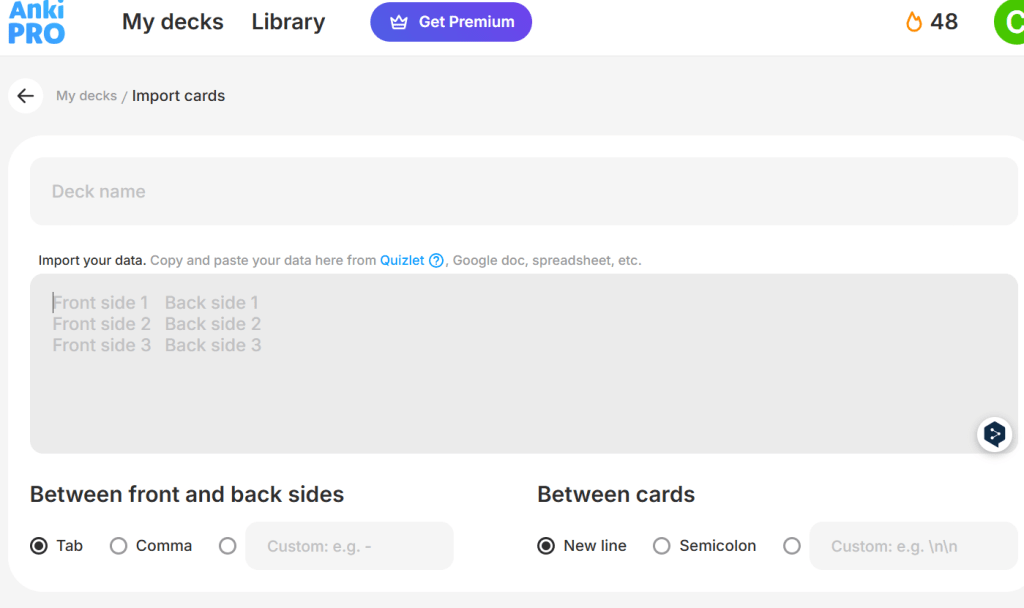
Basically it’s just
- Log into Anki Pro
- Go to this screen (which you get to by creating a new deck then choosing “import cards!” and then “csv”)
- Write the name of the course in the top box
- Open the csv file you downloaded from Memrise. It will probably open in something like Microsoft Excel or whatever equivalent you have.
- You can ignore everything but the first two columns
- OPTIONALLY swap the two columns around. Why would you want to do this? Well, I prefer Anki to show me an english word like “babble” and then I type in “balbuciar” as a response. But when I opened the csv it had english words on the left and portuguese on the right, so I had to swap them around, otherwise it would have made me type english answers to portuguese prompts, Boooo!
- Copy and paste the whole block of cells containing the words and their translations from the csv into the lower box on the memrise screen.
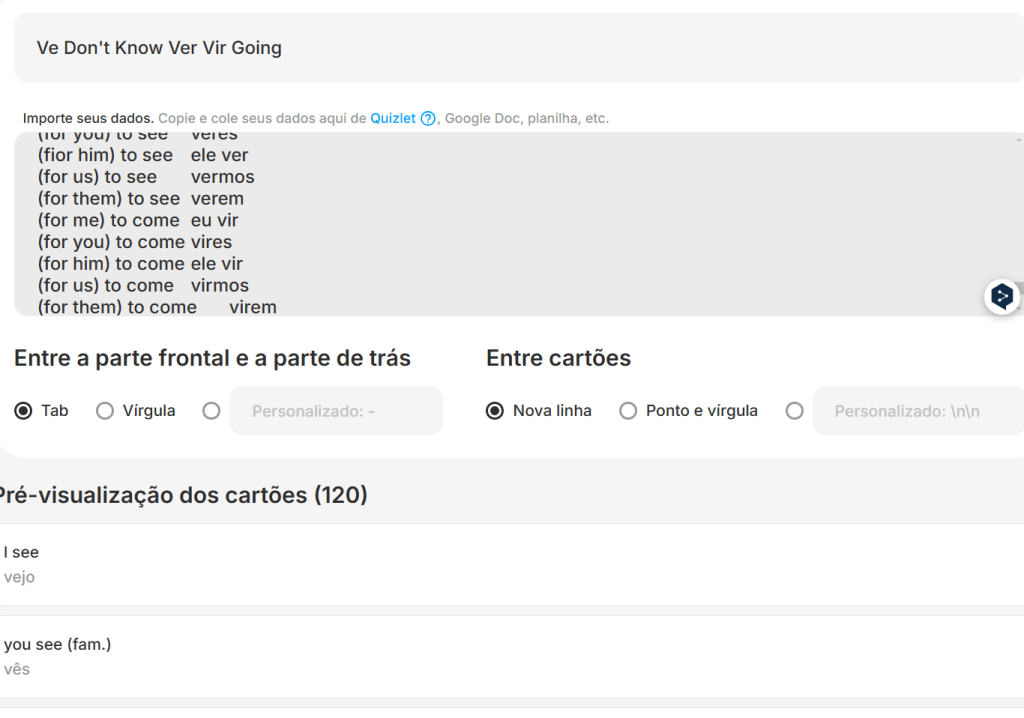
- It will automatically take the pairings and create a course from them – check the image below, showing a course for remembering the various conjugations of ver and vir. You can see at the bottom of the picture, what it is interpreting as the prompt and answer and it seemed to get them all right first time, which is nice!
- Make any changes you want to make (There’s a typo in the screenshot – “fior” instead of “for”, because it was like that in Memrise, and I was able to tweak that)
- Click import
I’ll attach a csv of the ver-vir course hir i mean her, I mean here, in case you want to try it for yourself before investing the time in installing the tool. I thought it was extremely useful though and am going to hit his “buy me a coffee” link as soon as I finish this post. Buying people coffees is always a good idea! (here’s mine in case you are good at taking hints! 😊)
*Why is it called that by the way? It doesn’t cost money so what makes it more Pro than normal Anki? Oh never mind, it’s just one of life’s mysteries, I suppose!
 Luso
Luso 